top of page
uMake Legend Image_edited.png

I'm a paragraph. I'm connected to your collection through a dataset. Click Preview to see my content. To update me, go to the Data Manager.

Title

I'm a paragraph. I'm connected to your collection through a dataset. Click Preview to see my content. To update me, go to the Data Manager.

Livraison gratuite Québec
Commandes de plus de 250 $ (hors colis hors format).
Veuillez consulter
détails.  

Cormorant Garamond is a classic font with a modern twist. It's easy to read on screens of every shape and size, and perfect for long blocks of text.

PROCESSUS DE FABRICATION OFFERTS

You can get more out of your site elements by making them dynamic. To connect this element to content from your collection, select the element and click Connect to Data. Once connected, you can save time by updating your content straight from your collection—no need to open the Editor, or mess with your design. 


Add any type of content to your collection, such as rich text, images, videos and more, or upload a CSV file. You can also collect and store information from your site visitors using input elements like custom forms and fields. Collaborate on your content across teams by assigning permissions setting custom permissions for every collection.


Be sure to click Sync after making changes in a collection, so visitors can see your newest content on your live site. Preview your site to check that all your elements are displaying content from the right collection fields. Ready to publish? Simply click Publish in the top right of the Editor and your changes will appear live. 

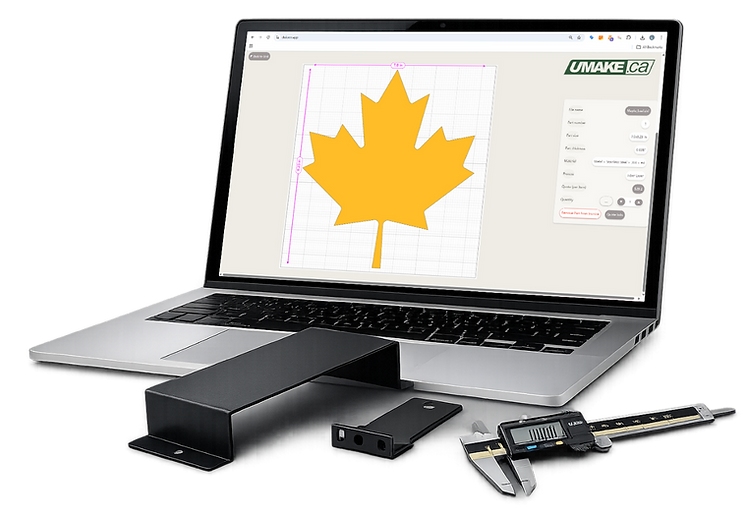
Instant online quote. Free shipping Canada. Order custom parts now!

800X800 CORK UMAKE_edited.png

I'm a paragraph. Click here to add your own text and edit me. It's easy.

Material, Quality & Capabilities

What is acrylic laser cutting and why is it the best way to cut acrylic? Acrylic laser cutting uses a focused CO₂ laser beam to vaporize acrylic along a precise digital path — producing edges that are flame-polished, optically clear, and ready to use without any sanding or finishing. Unlike sawing, routing, or die-cutting, the laser never physically contacts the material, which means no mechanical stress, no chipping, no vibration marks, and no tooling that dulls over time. Every cut follows your design file with tolerances as tight as ±0.1 mm, reproducing intricate curves, fine text, and complex geometries that would be impossible or extremely costly with any other method. For designers, small businesses, architects, and makers across Canada, laser-cut acrylic is the fastest path from digital file to finished product — and at uMake.ca, that path starts with a 60-second quote at app.umake.ca.
What types and colors of acrylic does uMake stock for laser cutting? uMake.ca carries one of Canada's largest in-stock acrylic inventories — so you get fast turnaround without waiting for material to be sourced. Our stock includes:By finish/transparency: Clear / Transparent — classic optical-grade acrylic, ideal for displays, guards, windows, and backlighting Opaque — solid colors in white, black, and a full spectrum of RAL/Pantone-matched sheets Frosted / Translucent — diffuses light beautifully for signage, light panels, and privacy screens Mirror acrylic — gold, silver, rose gold, chrome, and bronze — no glass weight, no breakage risk Fluorescent / Neon edge-glow — green, yellow, orange, pink, blue — glows brilliantly along cut edges when backlit with LED Textured — brushed, hammered, or stippled surfaces for industrial and decorative applications Specialty — two-color engraving stock (engraves to reveal a contrasting color underneath), glitter, pearlescent, and metallic finishes By thickness: From 1/16" (1.5 mm) up to 1/4" (6 mm) via CO₂ laser cutting. For acrylic thicker than 1/4", uMake offers CNC routing which produces clean matte edges on thicker stock up to 3".Don't see your exact color or thickness? Email quoting@umake.ca — we source specialty sheets quickly.
What is the difference between cast and extruded acrylic — and which should I order? This is one of the most important material decisions for your project:Cast acrylic is manufactured by pouring liquid monomer into glass moulds and polymerizing slowly. The result is superior optical clarity, tighter thickness consistency, and excellent compatibility with laser cutting — it vaporizes cleanly, produces the brightest flame-polished edges, and off-gasses significantly less during cutting. Cast acrylic also bonds better with solvent cements and is more stable dimensionally over time. uMake defaults to cast acrylic for most orders because of its superior cutting performance and finish quality.Extruded acrylic is manufactured by pushing molten acrylic through a die — a faster, cheaper process that produces sheet with very consistent thickness but slightly lower optical clarity. It melts rather than vaporizes under the laser, which can produce more smoke, slightly hazier edges, and a greater off-gas risk in poorly ventilated environments.The recommendation: For signage, displays, awards, jewelry, and anything where edge quality and clarity matter — order cast acrylic. For structural or hidden parts where cost is the priority, extruded is fine. When in doubt, uMake's team will default to cast for the best result.
What is the maximum sheet size and acrylic thickness you can laser cut? CO₂ laser cutting bed: up to 60" × 60" (152 cm × 152 cm) — one of the largest laser cutting surfaces available for online ordering in Canada. This allows large-format signage, full display panels, architectural models, and oversized decorative pieces to be cut in a single pass without seaming. Thickness range for CO₂ laser cutting: 1/16" (1.5 mm) up to 1/4" (6.35 mm). For acrylic thicker than 1/4": uMake's CNC router handles acrylic up to 3" thick with clean milled edges — ideal for thick display blocks, industrial components, and structural pieces. The edge finish is matte rather than flame-polished, which is appropriate for most functional applications. Bending after cutting: uMake can line-bend laser-cut acrylic pieces up to 47" wide, allowing flat-cut parts to be formed into brochure holders, menu stands, display trays, sneeze guards, and curved signage after cutting.

Ordering at app.umake.ca, Shipping & Getting Your Parts Fast

What acrylic products can uMake produce for my business or project? The range is genuinely enormous — if it can be drawn in 2D, it can likely be laser-cut from acrylic. Here's a practical breakdown of what Canadian businesses order most: Signage & branding: Indoor/outdoor signs, backlit LED signs with edge-glow acrylic, 3D dimensional letters with standoffs, reception area logos (like the KPMG sign uMake produced), wayfinding panels, ADA-compliant Braille signs Retail & POS: Product display stands, counter shields and sneeze guards, shelf risers, merchandise holders, brochure racks, price tags, hang tags, branded packaging inserts Awards & recognition: Trophies, plaques, employee recognition awards, academic achievement pieces — engraved with laser precision in clear or colored acrylic Events & hospitality: Wedding cake toppers, escort cards, place cards, table numbers, menu holders, decorative centerpieces, photo booth props Small business & Etsy: Custom acrylic earrings and jewelry, personalized keychains, Christmas ornaments, night lights with edge-glow panels, house number signs, teacher gifts, memorial markers — all popular high-margin items Prototyping & industrial: Enclosure panels, control panel fascias, instrument covers, jigs and fixtures, architectural scale models, engineering prototypes Specialty: Guitar pickguards, cosplay armor and props, floating frames, pet memorial markers, wedding invitation suites cut from clear acrylic All of these are orderable directly through app.umake.ca — upload your file, get an instant price, choose your delivery speed, and your parts ship anywhere in Canada.
Can I cut and engrave acrylic in the same job? Yes — and it's one of the most powerful features of CO₂ laser cutting. In a single machine pass, your acrylic part can be simultaneously cut to shape AND engraved with text, logos, images, patterns, or gradients. Here's how to set it up: Red lines (or your convention) = cut paths — the laser cuts all the way through Blue lines / raster fills = deep engrave (visible depth, frosted appearance in clear acrylic) Green lines / light raster = surface engrave or score (subtle marking) Grayscale image = photo-quality engraving in levels of depth When you engrave clear acrylic, the engraved areas scatter light and appear bright white — this is the basis of edge-lit LED signs, where only the engraved areas glow when backlit. Engraving on colored or mirror acrylic creates striking contrasts that make logos and text pop without any paint or vinyl. Set up your file with these color conventions, upload to app.umake.ca, and the platform will automatically recognize and price both operations in your instant quote.

Existe-t-il une quantité minimale de commande pour la découpe laser acrylique ? Aucune. Vous pouvez commander une seule pièce acrylique (une boucle d'oreille personnalisée, un trophée, un prototype de panneau de boîtier) et bénéficier de la même précision, de la même qualité de finition polie à la flamme et de la même rapidité de livraison qu'une production de 500 pièces. Aucun frais de mise en place, aucun frais de plaque et aucune pénalité pour les petites quantités. C'est l'une des principales raisons pour lesquelles les créateurs canadiens, les petites entreprises et les vendeurs Etsy choisissent uMake. Vous pouvez : Tester un nouveau design de produit avec un prototype avant d'investir dans un stock Répondre aux commandes personnalisées ponctuelles de vos clients sans surstocker Remplacer une pièce endommagée d'un présentoir ou d'une installation Itérer votre design à plusieurs reprises sans vous engager sur de grandes séries Commandez une pièce dès aujourd'hui sur app.umake.ca — sans minimum, sans excuses.

Which Canadian cities does uMake ship laser-cut acrylic to? Everywhere in Canada. uMake ships daily to all provinces and territories via reliable carriers. Cities we serve regularly include: Ontario: Toronto, Mississauga, Brampton, Ottawa, Hamilton, London, Kitchener-Waterloo, Windsor, Markham, Vaughan, Oakville, Burlington, Barrie, Thunder Bay, Sudbury Quebec: Montreal, Quebec City, Laval, Longueuil, Sherbrooke, Gatineau, Trois-Rivières, Saguenay, Lévis British Columbia: Vancouver, Surrey, Burnaby, Richmond, Kelowna, Kamloops, Victoria Alberta: Calgary, Edmonton, Red Deer, Lethbridge Manitoba & Saskatchewan: Winnipeg, Brandon, Saskatoon, Regina Atlantic Canada: Halifax, Moncton, Fredericton, Saint John, Charlottetown, St. John's Northern territories: Yellowknife, Whitehorse — yes, we ship there too. Your shipping cost and estimated delivery date are calculated automatically at checkout when you enter your postal code at app.umake.ca. No need to call and ask — the platform handles it instantly.

Ordering at app.umake.ca, Shipping & Getting Your Parts Fast

What is the difference between laser cutting acrylic and CNC routing acrylic? Both processes cut acrylic accurately, but they serve different applications: CO₂ Laser CuttingCNC RouterMax thickness1/4" (6 mm)3" (76 mm)Edge finishFlame-polished, glossy, transparentMatte, slightly texturedDetail capabilityExtremely fine (0.1 mm kerf)Good (limited by bit diameter ~3 mm)Speed on thin sheetsVery fastSlowerChemical bondingLess ideal (smooth surface)Excellent (matte bonds well)Inside cornersSharp (laser)Rounded (radius of bit)Best forSignage, jewelry, displays, intricate shapesThick blocks, structural parts, pieces to be welded uMake's recommendation: For anything up to 1/4" thick where visual clarity and edge quality matter — laser cutting. For acrylic thicker than 1/4", or parts that will be solvent-bonded, CNC routing. Both services are available at app.umake.ca — the platform will guide you to the right process based on your material and thickness selection.
How do I get an instant quote for acrylic laser cutting at app.umake.ca? It takes under 60 seconds — here's exactly how it works: Step 1 — Upload your file at app.umake.ca Drag and drop your DXF, AI, SVG, or PDF vector file. The platform validates your file instantly and flags any issues (open paths, overlapping lines, incorrect scale) before you proceed. Step 2 — Select your material Choose your acrylic type (clear, mirror, fluorescent, opaque, etc.), thickness (1/16" through 1/4"), and quantity. The platform shows you exactly what's in stock. Step 3 — Choose your delivery speed Standard, express, or priority — shipping costs and estimated delivery dates calculate automatically based on your postal code, anywhere in Canada. Step 4 — Get your instant price A fully itemized quote appears immediately: material cost, cutting time, finishing, and shipping — all in Canadian dollars, no hidden fees. Step 5 — Confirm and pay Pay securely by credit card or e-transfer. Your order enters production the same business day. The platform is available 24 hours a day, 7 days a week — get your quote at midnight before a deadline, on a Sunday morning, or during your lunch break. No sales rep required, no waiting, no back-and-forth emails. 👉 Start your quote now at app.umake.ca
What file formats does uMake accept for acrylic laser cutting? For cutting (vector paths — required): DXF — universal CAD format, works from AutoCAD, SolidWorks, Fusion 360, Illustrator, Inkscape, CorelDRAW AI (Adobe Illustrator) — ideal for logos, typography, decorative shapes SVG — works from Inkscape, Canva Pro, Figma, and most design tools PDF (vector only) — must be vector-based, not a scanned or rasterized image For engraving (raster images): PNG, TIFF, JPEG — minimum 300 DPI for clean engraving results, preferably grayscale Pro tips for the best results: Convert all text to outlines/paths before exporting (avoids font substitution issues) Use separate colors or layers for cut lines vs. engrave areas Set your document to the actual finished size — don't scale at import Remove any duplicate lines (they cause double-cutting which burns edges) Keep minimum feature widths above 1 mm for structural integrity in thin acrylic Not sure if your file is ready? Upload it anyway — app.umake.ca flags issues automatically and our team can assist with file prep if needed. You can also download uMake's drawing template to set up your file correctly from the start.
How fast will I receive my laser-cut acrylic parts in Canada? uMake is built for speed. Here's what you can realistically expect: Production time (Montreal facility): Orders under 1 machine-hour with material in stock → as fast as same day or next business day Standard orders → 1–2 business days production Shipping time from Montreal: DestinationStandard shippingExpress optionMontreal & area1 business daySame day (select jobs)Quebec City, Ottawa1–2 business daysNext dayToronto & GTA1–2 business daysNext dayVancouver, Calgary, Edmonton3–4 business days2 business daysHalifax, Winnipeg, Saskatoon3–4 business days2 business daysRemote communities5–7 business daysVaries Total door-to-door: Most Canadian customers in major cities receive their acrylic parts within 3–5 business days from the moment they upload their file. For urgent projects, express shipping is selectable directly in the cart at app.umake.ca — no phone call needed.

Ordering at app.umake.ca, Shipping & Getting Your Parts Fast

Is there a minimum order quantity for acrylic laser cutting? Zero. None. Not one. You can order a single acrylic piece — one custom earring, one award, one prototype enclosure panel — and receive the same precision, the same flame-polished edge quality, and the same fast shipping as a 500-piece production run. There are no setup fees, no plate charges, and no penalty for small quantities. This is one of the most important reasons Canadian makers, small businesses, and Etsy sellers choose uMake. You can: Test a new product design with a single prototype before investing in inventory Fulfill one-off custom orders for clients without overstocking Replace a single damaged piece from a display or installation Iterate your design multiple times without commitment to large batches Order one piece today at app.umake.ca — no minimums, no excuses.
Which Canadian cities does uMake ship laser-cut acrylic to? Everywhere in Canada. uMake ships daily to all provinces and territories via reliable carriers. Cities we serve regularly include: Ontario: Toronto, Mississauga, Brampton, Ottawa, Hamilton, London, Kitchener-Waterloo, Windsor, Markham, Vaughan, Oakville, Burlington, Barrie, Thunder Bay, Sudbury Quebec: Montreal, Quebec City, Laval, Longueuil, Sherbrooke, Gatineau, Trois-Rivières, Saguenay, Lévis British Columbia: Vancouver, Surrey, Burnaby, Richmond, Kelowna, Kamloops, Victoria Alberta: Calgary, Edmonton, Red Deer, Lethbridge Manitoba & Saskatchewan: Winnipeg, Brandon, Saskatoon, Regina Atlantic Canada: Halifax, Moncton, Fredericton, Saint John, Charlottetown, St. John's Northern territories: Yellowknife, Whitehorse — yes, we ship there too. Your shipping cost and estimated delivery date are calculated automatically at checkout when you enter your postal code at app.umake.ca. No need to call and ask — the platform handles it instantly.
What if my design file isn't ready — can uMake help? Yes. uMake offers design support and file preparation assistance for customers who have a concept but don't have a production-ready vector file. Here's what's available: File review — upload any file to app.umake.ca and the platform flags technical issues automatically (open paths, minimum feature violations, scale errors) File optimization — our team can clean up a DXF or AI file to make it production-ready Design from scratch — for custom signage, logos, or personalized products, email quoting@umake.ca with a description, sketch, or reference image and we'll prepare a file for your approval Drawing template — download uMake's free laser cutting template to set up your file correctly the first time Most customers with a clean logo file or a simple DXF can go from upload to confirmed order in under 5 minutes. If you hit a snag, call +1 514 524 9990 or email quoting@umake.ca — our bilingual team responds fast.
Can uMake handle large production runs and bulk acrylic orders for Canadian businesses? Absolutely — and the pricing gets better as volume goes up. uMake's automated nesting software maximizes the number of parts cut from each acrylic sheet, which directly reduces your material cost per piece. Laser cutting rates drop from $120/hour for small jobs all the way to $60/hour for runs over 10 machine hours — the savings are built into your quote automatically when you upload at app.umake.ca, no negotiation required. For ongoing production relationships — retail chains restocking display items, event companies ordering seasonal products, manufacturers with recurring component needs — uMake offers Net-30 payment terms for approved business accounts. Contact accounting@umake.ca after your fifth order to apply. All production run orders ship with tracking, and your order history is saved in your app.umake.ca account — reordering a previous job takes one click.

Ordering at app.umake.ca, Shipping & Getting Your Parts Fast

What post-processing and finishing options are available after laser cutting acrylic? uMake isn't just a cutting service — it's a complete fabrication partner. After laser cutting, your acrylic parts can receive: Edge finishing: Diamond polishing — mechanical polishing for the clearest optical edge quality, ideal for premium awards and display cases Buffing wheel polish — softer sheen finish Flame polishing — applied on request for thick CNC-routed edges Forming: Line bending — uMake bends laser-cut acrylic up to 47" wide into brochure holders, display stands, sneeze guards, menu holders, and shaped signage Combination with other services: UV printing — print full-color CMYK+white directly onto your cut acrylic panels, on the same production run Assembly — uMake can assemble multi-part acrylic products (display stands, layered signs, boxed structures) before shipping All of these services are available in a single coordinated order — mention your requirements in the notes field when ordering at app.umake.ca, or email quoting@umake.ca for a combined quote.
Why do Canadian designers and businesses trust uMake for acrylic laser cutting? Here's the honest answer in plain language: ⚡ Speed you can count on. Same-day or next-day production on standard orders. Express shipping to every province. Most customers get their parts in 3–5 business days total. 💎 Edge quality that sells itself. Our CO₂ laser produces flame-polished edges that are indistinguishable from hand-polished acrylic — right out of the machine, no extra steps. 🖥️ The easiest ordering experience in Canada. app.umake.ca gives you a real price in 60 seconds, 24/7. No emails, no phone calls, no waiting rooms. Order from your phone at 10pm if that's when inspiration hits. 📦 Free shipping over $250 coast to coast. Toronto to Vancouver, Montreal to Halifax — your parts arrive tracked, packed, and on time. 🔢 No minimums, ever. One piece or one thousand — the platform treats every order the same. 🇨🇦 16 years of Canadian manufacturing. Over 20,000 orders shipped. Clients including KPMG, L'Oréal, Pratt & Whitney, Via Rail. A 4.8/5 Google rating from 160+ real reviews. Stop waiting for quotes. Start building. 👉 Upload your file now at app.umake.ca
What edge quality can I expect from laser-cut acrylic? What is flame-polishing? Flame-polishing is not something uMake does after the fact — it's what the CO₂ laser does naturally as it cuts acrylic. The laser beam heats the acrylic edge to just above its melting point as it passes, and the molten surface tension pulls the edge smooth and glossy before it re-solidifies. The result is a transparent, glass-like edge that requires zero post-processing for most applications. For projects where an even higher level of edge clarity is required — think premium display cases, high-end awards, or retail jewelry displays — uMake also offers: Diamond-polished edges — mechanical polishing using a diamond-tipped tool for the clearest possible optical finish Buffing wheel polishing — a softer sheen finish between laser-standard and diamond polish For acrylic cut on the CNC router (thicker stock), edges are matte and may be polished on request. If your acrylic parts will be chemically welded or solvent-bonded together, CNC routing actually produces better results — the matte milled edge bonds more reliably than the glossy laser edge.

Ordering at app.umake.ca, Shipping & Getting Your Parts Fast

Is there a minimum order quantity for acrylic laser cutting? Zero. None. Not one. You can order a single acrylic piece — one custom earring, one award, one prototype enclosure panel — and receive the same precision, the same flame-polished edge quality, and the same fast shipping as a 500-piece production run. There are no setup fees, no plate charges, and no penalty for small quantities. This is one of the most important reasons Canadian makers, small businesses, and Etsy sellers choose uMake. You can: Test a new product design with a single prototype before investing in inventory Fulfill one-off custom orders for clients without overstocking Replace a single damaged piece from a display or installation Iterate your design multiple times without commitment to large batches Order one piece today at app.umake.ca — no minimums, no excuses.
Which Canadian cities does uMake ship laser-cut acrylic to? Everywhere in Canada. uMake ships daily to all provinces and territories via reliable carriers. Cities we serve regularly include: Ontario: Toronto, Mississauga, Brampton, Ottawa, Hamilton, London, Kitchener-Waterloo, Windsor, Markham, Vaughan, Oakville, Burlington, Barrie, Thunder Bay, Sudbury Quebec: Montreal, Quebec City, Laval, Longueuil, Sherbrooke, Gatineau, Trois-Rivières, Saguenay, Lévis British Columbia: Vancouver, Surrey, Burnaby, Richmond, Kelowna, Kamloops, Victoria Alberta: Calgary, Edmonton, Red Deer, Lethbridge Manitoba & Saskatchewan: Winnipeg, Brandon, Saskatoon, Regina Atlantic Canada: Halifax, Moncton, Fredericton, Saint John, Charlottetown, St. John's Northern territories: Yellowknife, Whitehorse — yes, we ship there too. Your shipping cost and estimated delivery date are calculated automatically at checkout when you enter your postal code at app.umake.ca. No need to call and ask — the platform handles it instantly.
What if my design file isn't ready — can uMake help? Yes. uMake offers design support and file preparation assistance for customers who have a concept but don't have a production-ready vector file. Here's what's available: File review — upload any file to app.umake.ca and the platform flags technical issues automatically (open paths, minimum feature violations, scale errors) File optimization — our team can clean up a DXF or AI file to make it production-ready Design from scratch — for custom signage, logos, or personalized products, email quoting@umake.ca with a description, sketch, or reference image and we'll prepare a file for your approval Drawing template — download uMake's free laser cutting template to set up your file correctly the first time Most customers with a clean logo file or a simple DXF can go from upload to confirmed order in under 5 minutes. If you hit a snag, call +1 514 524 9990 or email quoting@umake.ca — our bilingual team responds fast.
Can uMake handle large production runs and bulk acrylic orders for Canadian businesses? Absolutely — and the pricing gets better as volume goes up. uMake's automated nesting software maximizes the number of parts cut from each acrylic sheet, which directly reduces your material cost per piece. Laser cutting rates drop from $120/hour for small jobs all the way to $60/hour for runs over 10 machine hours — the savings are built into your quote automatically when you upload at app.umake.ca, no negotiation required. For ongoing production relationships — retail chains restocking display items, event companies ordering seasonal products, manufacturers with recurring component needs — uMake offers Net-30 payment terms for approved business accounts. Contact accounting@umake.ca after your fifth order to apply. All production run orders ship with tracking, and your order history is saved in your app.umake.ca account — reordering a previous job takes one click.

FAQ

Countersink Specs
Values3
Properties
Value
Détails généraux
Properties 2
Value2
Actif 6.webp
Actif 4.png
Countersink Specs
Values3
Spécifications de la fraise conique
Tapping Specs
Value4
ABS Properties
Value5
Propriétés de l'ABS
Spécifications de la fraise conique
Spécifications de découpe du routeur CNC

CARACTÉRISTIQUES

You can get more out of your site elements by making them dynamic. To connect this element to content from your collection, select the element and click Connect to Data. Once connected, you can save time by updating your content straight from your collection—no need to open the Editor, or mess with your design. 


Add any type of content to your collection, such as rich text, images, videos and more, or upload a CSV file. You can also collect and store information from your site visitors using input elements like custom forms and fields. Collaborate on your content across teams by assigning permissions setting custom permissions for every collection.


Be sure to click Sync after making changes in a collection, so visitors can see your newest content on your live site. Preview your site to check that all your elements are displaying content from the right collection fields. Ready to publish? Simply click Publish in the top right of the Editor and your changes will appear live. 

INCONVÉNIENTS

You can get more out of your site elements by making them dynamic. To connect this element to content from your collection, select the element and click Connect to Data. Once connected, you can save time by updating your content straight from your collection—no need to open the Editor, or mess with your design. 


Add any type of content to your collection, such as rich text, images, videos and more, or upload a CSV file. You can also collect and store information from your site visitors using input elements like custom forms and fields. Collaborate on your content across teams by assigning permissions setting custom permissions for every collection.


Be sure to click Sync after making changes in a collection, so visitors can see your newest content on your live site. Preview your site to check that all your elements are displaying content from the right collection fields. Ready to publish? Simply click Publish in the top right of the Editor and your changes will appear live. 

APPLICATIONS PRODUITS ET INDUSTRIELS

You can get more out of your site elements by making them dynamic. To connect this element to content from your collection, select the element and click Connect to Data. Once connected, you can save time by updating your content straight from your collection—no need to open the Editor, or mess with your design. 


Add any type of content to your collection, such as rich text, images, videos and more, or upload a CSV file. You can also collect and store information from your site visitors using input elements like custom forms and fields. Collaborate on your content across teams by assigning permissions setting custom permissions for every collection.


Be sure to click Sync after making changes in a collection, so visitors can see your newest content on your live site. Preview your site to check that all your elements are displaying content from the right collection fields. Ready to publish? Simply click Publish in the top right of the Editor and your changes will appear live. 

Next

Le plastique ABS (acrylonitrile butadiène styrène) est un polymère thermoplastique largement utilisé, reconnu pour son excellente ténacité, sa résistance aux chocs et sa polyvalence. Il est obtenu par polymérisation de trois monomères : l'acrylonitrile, le butadiène et le styrène, chacun contribuant à sa résistance, sa flexibilité et son aspect brillant. Les procédés de fabrication courants de l'ABS incluent le moulage par injection, l'extrusion et l'impression 3D, ce qui le rend idéal pour la création de formes complexes et de composants détaillés. Grâce à sa facilité de mise en œuvre et de finition, l'ABS est largement utilisé dans des secteurs tels que l'automobile (tableaux de bord, garnitures), l'électronique grand public (étuis d'ordinateurs portables, claviers) et les jouets (notamment les briques LEGO).

Les avantages du plastique ABS sont sa grande résistance aux chocs, sa bonne stabilité dimensionnelle et sa facilité d'usinage et de peinture. Il présente également une bonne résistance à la chaleur et aux produits chimiques, ce qui le rend adapté à de nombreuses applications exigeantes. Cependant, l'ABS présente quelques inconvénients : il est peu résistant aux rayons UV, sauf traitement spécifique, et peut se dégrader en cas d'exposition prolongée au soleil. De plus, bien que relativement résistant, il n'est pas aussi robuste que certains plastiques hautes performances et peut être inflammable, sauf en cas d'utilisation de matériaux ignifuges. Malgré ces limites, l'équilibre entre ses propriétés et son rapport coût-efficacité fait de l'ABS un choix populaire dans de nombreux secteurs.

bottom of page