
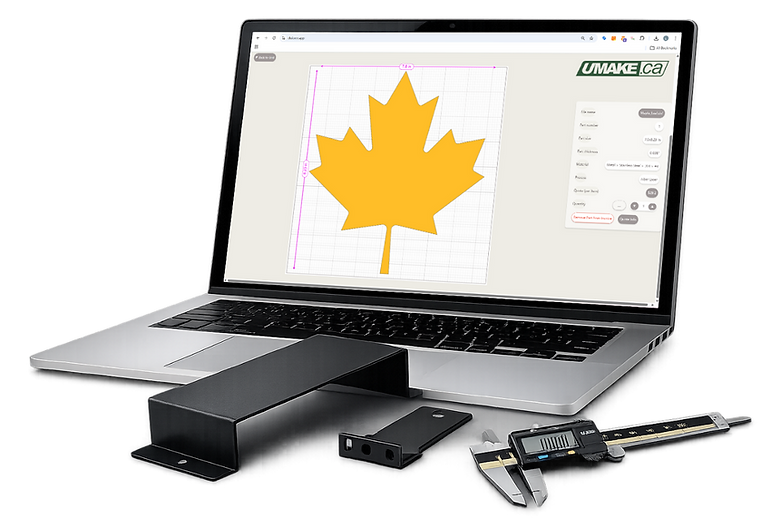
Order CNC Parts Online Canada
Instant Quotes for Custom CNC Parts. High Precision, 100+ Materials, Shipped Free Across Canada.
Professional-grade CNC milling and turning for engineers and innovators. Upload your CAD files for an Instant Online Quote and join hundreds of satisfied clients who rate us 5 stars on Google. Benefit from Canada’s largest material selection and Free Shipping on orders over $250.
Est. 2009 - Phone: +1 514 524 9990
WHy Choose uMake for CNC ROuter?
Enjoy quick turnaround and nationwide shipping to major cities including Toronto, Montreal, Vancouver, Calgary, Edmonton, Ottawa, Winnipeg, Quebec City, and more. No minimum order—just accurate, dependable CNC parts delivered to your door.

Fast Turnaround
For standard material, such as MDF, Baltic Birch, Clear Acrylic, Polycarbonate Black and White PVC (SIntra) lead time is typically 1-2 days to manufacture, plus delivery time, depending what priority shipping you choose. Most locations in Canada are reached in 3-4 business days
Quality Cuts
For Acrylic, we use diamond polishing end mills, plywood, we use compression cutters. always the best quality end mills to deliver the most smooth and accurate CNC edge.
Deliver as promised
When you use our app.uMake.ca and build your own price and delivery, our price accurately reflects the fair market price with the best material available
Accuracy in CNC
We calibrate our CNC machines regularly to ensure dimensional accuracy when machining your parts. Secondly, if your design requires material thickness as a variable in the assembly process, we will give you the exact thickness of the inventory on hand to ensure best success.
Available materials for CNC router
uMake’s CNC routing services are ideal for accurately cutting and shaping a wide range of materials. We commonly route plastics such as acrylic, PVC, HDPE, ABS, and polycarbonate, as well as wood-based materials including plywood, MDF, hardwoods, and laminates. Our CNC routers are also well suited for composites and specialty sheets, delivering clean edges and consistent results for signage, enclosures, fixtures, and custom components. Not sure if your material is suitable? Upload your file to our instant quoting tool and our team will confirm the best routing solution for your project.

CNC routing of rigid foam allows for precise shaping of lightweight, easily machinable material with smooth surfaces and intricate details. It is commonly used for prototyping, signage, packaging inserts, insulation panels, and custom displays where low weight and easy handling are important.

CNC routing of Baltic birch plywood provides clean, accurate cuts with consistent edge quality thanks to its void-free core and uniform layers. It is widely used for furniture, cabinetry, fixtures, speaker enclosures, and architectural components where strength, stability, and a premium finish are essential.

CNC routing is ideal for polycarbonate and acrylic, producing clean, precise cuts with smooth edges for parts that require strength, clarity, and a professional finish. Perfect for signage, point of display and even bending.
CNC routing of composite materials like Dibond® delivers precise cuts, clean edges, and excellent dimensional stability for flat panel applications. It is commonly used for signage, architectural panels, displays, and branded fixtures where durability and a high-quality finish are required.

CNC machining and routing of engineered plastics allows for tight tolerances, repeatable accuracy, and excellent surface finishes for functional parts. Materials such as Delrin (Acetal), Nylon, UHMW, HDPE, ABS, polycarbonate, and acrylic are commonly used where lightweight strength, wear resistance, chemical stability, or electrical insulation is required.
These material include MDF, Particle Board, Masonite and many more. Low cost and perfect for props, jigs, artwork. Downside, these material cannot get wet and dint easy
Related Services
For thinner sheet goods like acrylic, plywood, or plastics, our CO2 laser cutting service is often faster and more cost-effective. If your project calls for stock thicker than what a router can handle cleanly, our waterjet cutting service cuts up to 6" thick with no heat distortion.


A Guide for preparing file for CNC router
The CNC router is an amazing tool for many 2D and 3D cutting applications. Its affordable and versatile. Whether you are in Alberta or Ontario, these simples file preparation guidelines will help you get your parts perfect every time you order on app.uMake.ca
-
Check scale
-
Confirm units used for measurements
-
Ensure at least 5mm between each cut part
-
Leave a 20mm margin around - do not use the material as a limit margin
-
Verify thickness of material; make sure no cut parts are smaller than thickness of your material
-
Make sure there are no overlapping or double lines and that all shapes are outlines.
-
You can send us all sheet in 1 file or all sheet thats need to be cut in each thicknesses..
-
If you have some engravings or pockets to add please show us by using different colors .

Please note that inside corners will have a slight radius due to the round profile of the cutting tool. The radius will be equal to half the diameter of the router bit—for example, a 3 mm bit will produce a 1.5 mm inside radius.
Outside corners are not affected. If required, the inside radius can be refined manually by filing, though selecting a smaller router bit is typically the more effective way to achieve sharper corners, provided your design allows.

MAX SIZE 61"x140"
MDF 49"x97"
61"x121"
BIRCH 48"x96"
60"x60"
60"x120"
Why Dog Bones in corners?

Dogbones are an essential technique in CNC cutting that helps reduce the issue of rounded inside corners caused by router bits. By dogbones, which are specially shaped cutouts, you can achieve cleaner corners, enhancing the overall appearance of your project. For instance, using 1/8 router bits creates specific dogbones on the left side, while the right side showcases the effect with 1/4 router bits., you can opt for less extreme dogbones for a more subtle solution, as demonstrated in the second image.

Tabs

When utilizing our CNC router, you will notice small fixturing tabs left on the edges of yourined components. These tabs, roughly 0.1875" wide, play a crucial role in ensuring your parts remain secure throughout the manufacturing process.
For optimal, we suggest keeping a minimum of 0.400 between nodes or anchor points. Each tab's depth being half of your selected material thickness can easily be sanded down, and they will not affect your design, ensuring precision and stability during the cutting process.
Dogbones fillets is used to reduce the sharp edges of angles/corners.

If you do not use dogbones, your cut will show a 1.576mm inside radius if you are using a 3.175mm bit (1/8) or a 3.175mm insisde radius if you are using a 6.35mm bit (1/4). You will then have to correct manually by hand filing or using a softer sacrificial material like OSB.

Also possible to add a hole on the corner but it is an unnecessary big dogbone added.


If you place your dogbone so it is the minimum necessary size, you will only have an approx 0.5mm slot afterwards which is quite subtle.
You can also compromise accepting a very small corner as shown for different bits size.
CNC Parts · Canada-Wide Shipping
Your CNC Questions,
Answered
Everything Canadian engineers, makers, and businesses need to know before ordering custom CNC parts from uMake.ca.